Hey everyone! 👋
Lately, I’ve been having a bit of a nightmare with my email. My blog manager requires me to use Yahoo Mail for our communications, and ever since Yahoo did away with the option to revert to the “Old” interface, things have been… well, super buggy.
I was about to lose my mind! Every time I tried to type an email reply or send over a new article draft, the entire page would just constantly reload. It made getting any work done impossible and honestly, it was so frustrating! 😩
I tried everything to fix it:
- I cleared my browser cache.
- I switched from Chrome to Mozilla Firefox.
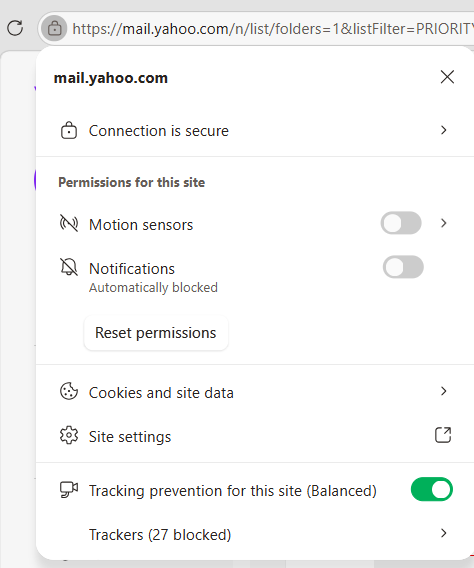
- I even went into my site permissions to block motion sensors, thinking that might be the culprit.
Nothing worked! I was about to give up entirely. But then, on a whim, I decided to try opening Yahoo Mail in Microsoft Edge—and it worked perfectly! 🥳 No more random reloads, no more disappearing drafts.
Just disable the Motion sensors then you’re good to go with this browser.
If you’re stuck in the same loop of frustration, give Edge a shot! It was a total lifesaver for me.
Has anyone else been dealing with annoying email editing glitches lately? Did you find a different way to fix them? Let me know in the comments below—I’d love to hear your tips! 👇
Cheers 😇